
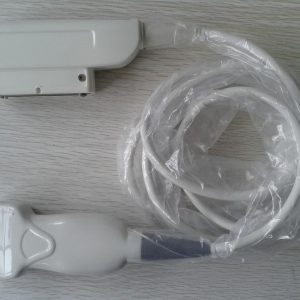
Answer first: A wireless ultrasound probe should be evaluated as a complete system path, not just a cordless transducer. Confirm the exact probe and regulatory-market identity, supported app and operating-system versions, display-device requirements, connectivity method, data handling, update and cybersecurity path, battery and charging support, serviceability, included accessories and written commercial evidence.
Wireless Ultrasound Probe: evidence matrix
| Decision field | Evidence to collect | Why it matters |
|---|---|---|
| Device identity | Manufacturer, model, market and current labeling | Separates look-alike hardware and regional versions |
| App and OS | Named app, supported versions and update policy | A probe can become unusable when software support changes |
| Display device | Supported phone/tablet models and requirements | Compatibility extends beyond the transducer |
| Connectivity | Wi-Fi or other method and operating constraints | Defines the actual workflow |
| Data path | Storage, export, account and network behavior | Supports privacy and integration review |
| Cybersecurity | Update, vulnerability and support process | Connected medical-device software needs ongoing attention |
| Power/service | Battery, charger, replacement and repair path | Affects lifecycle and downtime |
| Quote scope | Included hardware, software, subscription, accessories and terms | Prevents hidden recurring or missing components |
Treat the app as part of the product
A wireless transducer may depend on a specific application, operating system, account, tablet or phone. Record those requirements in the same RFQ as the probe. A hardware photo alone cannot establish that the complete workflow remains supported.
Ask about updates and cybersecurity
FDA notes that connected medical devices with software can face cybersecurity risks and that responsibility is shared among manufacturers, healthcare organizations and other parties. Ask how updates are delivered, how long software is supported, what happens when a mobile OS changes and how vulnerabilities are communicated.
Map the data path
Document whether studies remain local, move through an account or cloud service, export to a workstation or connect to other systems. The purchaser's privacy, security and integration teams should review the exact configuration. Do not infer compliant behavior from the word wireless.
Include power and lifecycle evidence
Confirm charging accessories, battery status or replacement path, warranty/remedy terms, service availability and what happens if the app or display device is no longer supported. The lowest hardware price may not represent the lowest lifecycle risk.
Verification workflow
- Name the complete system: Probe, app, OS, display device and region.
- Test the supported workflow: Verify connection, display, storage and export in the intended configuration.
- Review security and updates: Document support contacts and update path.
- Confirm commercial scope: List hardware, software, subscriptions, accessories and remedies.
How to keep the decision auditable
Use one reference across the enquiry, photographs, source documents, quotation and later inspection or acceptance record. Save the date and origin of each fact. When the model, system, condition, quantity or service scope changes, create a new revision rather than silently reusing evidence from another item. Mark unresolved fields as pending; a missing answer should not be converted into a positive compatibility, condition or availability claim.
Before approval, have a second reviewer compare the complete model characters, connector, host-system context and quotation scope. This catches mixed photo sets, copied specifications and broad catalogue statements that do not belong to the physical item. The written quote is the final commercial control point and should identify the exact offer, evidence, exclusions, availability basis, shipping responsibility and remedy terms.
Evidence that belongs to the exact item
Keep general source material separate from item-level proof. A manufacturer page or technical reference can explain terminology and decision boundaries. A catalogue page can show that Akicare currently has a related record. Neither one proves the serial identity, present condition, stock position or test result of a unit offered today. Those facts require photographs, labels, inspection records or quotation statements tied to the same item reference. This separation is especially important when a page uses representative imagery or when a model name appears across several systems.
Questions to resolve before commitment
Ask whether every specification comes from the exact model document, whether the connector and host-system configuration were checked, whether photographs show the offered unit, and whether the test statement names its method and exclusions. Also confirm what is included, what remains pending, when availability was checked, who carries shipping responsibility and what remedy applies if the received identity or condition differs from the written record. These questions turn a broad search result into a reviewable B2B purchasing or service decision.
Record negative findings as carefully as positive ones. If a source does not establish a model pairing, if a photograph is representative, or if a test excludes part of the device, say so beside the affected field. Clear limitations help the next reviewer act; vague confidence only hides the remaining work.
Open the relevant Akicare catalogue or assessment
Frequently asked questions
Is every wireless probe compatible with any phone?
No. Confirm the exact app, OS version, device requirements and region.
Does wireless mean images stay local?
Not necessarily. Document the exact storage, account, cloud and export path.
What happens after an OS update?
Ask the manufacturer or supplier for the supported-version and update policy before purchase.
Should cybersecurity be in the RFQ?
Yes. Connected-device support, updates and vulnerability handling are lifecycle evidence.
Related Akicare resources
Sources and evidence boundary
- FDA medical device cybersecurity overview
- Akicare supplier evidence checklist
- Akicare ultrasound probe catalogue
Sources checked 3 August 2026. Use the current exact manufacturer document, facility procedure and jurisdiction-specific requirement for the device involved.