
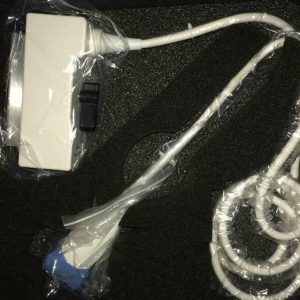
If you are looking for a compatible Siemens Acuson G40 ultrasound probe, the practical answer is that replacement transducers for this discontinued Sonoline G40 platform come from independent suppliers as refurbished OEM units, selected compatible aftermarket models, or repair of the probe you already own. The right route depends on which transducer you need and how much item-specific evidence the supplier can provide.
Your sourcing options at a glance
| Option | What it is | Evidence to request before buying |
|---|---|---|
| Refurbished OEM transducer | An original Siemens/Acuson probe inspected and reconditioned by an independent supplier | Model and serial number, connector photos, recent image-quality or element test results, stated condition |
| Compatible aftermarket transducer | A third-party probe built to work with the G40, most common for high-volume models | Written host-system compatibility statement for the Sonoline/Acuson G40, plus return terms if it fails on your system |
| Repair of your existing probe | Your current transducer is diagnosed and repaired (cable, elements, lens, housing, connector) | Written fault assessment, repair scope, and post-repair test documentation |
| Exchange or part-out unit | A probe recovered from a decommissioned G40 system | Same item-specific evidence as a refurbished unit; system removal proves nothing about condition |
Sonoline G40 compatible probe list
The G40 is a shared-service system, and its lineup reflects that: convex probes for abdominal and OB work, endocavity probes for GYN and urology, phased arrays for cardiac, and linear probes for vascular and small-parts scanning. The models below are the ones buyers most often ask suppliers to source for this platform. Frequencies and applications come from the existing catalogue content for this page; treat them as a starting point for your request, not as a substitute for item-specific documentation.
| Model | Type | Primary applications | Frequency range |
|---|---|---|---|
| CH5-2 | Convex | Abdominal, OB/GYN | 2–5 MHz |
| C8-5 | Micro-convex | Pediatric abdominal, neonatal | 5–8 MHz |
| EC9-4 | Endocavity | Transvaginal, transrectal | 4–9 MHz |
| EV9-4 | Endocavity | Transvaginal OB/GYN | 4–9 MHz |
| BE9-4 | Endorectal | Prostate imaging and biopsy support | 4–9 MHz |
| P4-2 / P8-4 | Phased array | Cardiac imaging | Confirm in writing with the supplier |
| VF10-5 / VF13-5 | Linear | Vascular, small parts | Confirm in writing with the supplier |
Model-specific sourcing notes
Convex and micro-convex: CH5-2 and C8-5
The CH5-2 is the general abdominal workhorse of the G40 lineup, and the C8-5 covers pediatric and neonatal work. Because these are high-demand models, they appear often in independent catalogues. That visibility cuts both ways: the CH5-2 name also shows up in listings for other Siemens platforms, so a matching model string is not, by itself, proof that the unit on offer is configured for a G40. Ask for the connector photo and a written statement naming the Sonoline G40 as the host system.
Endocavity: EC9-4, EV9-4, and BE9-4
The EC9-4 and EV9-4 share a 4–9 MHz band and similar names, and the BE9-4 is the endorectal variant used for prostate imaging and biopsy support. These probes see heavy mechanical and chemical stress, so condition matters as much as compatibility: ask about lens condition, cable integrity near the strain relief, and articulation where applicable.
Phased array and linear: P4-2, P8-4, VF10-5, VF13-5
Cardiac and vascular models are requested less often for the G40, which means thinner supply and more variance in what sellers actually have. Note that some catalogue listings for VF13-5 and EC9-4 probes are explicitly marked as X-Series units — a different Siemens platform. Do not assume an X-Series-labelled probe works on a G40; require written compatibility evidence naming your system.
Catalogue discovery versus item-specific evidence
Catalogue pages tell you that a supplier lists a model. They do not tell you that the physical unit you receive is compatible with your G40 or in acceptable condition. A connector photo can look right and still belong to a different pin configuration; a similar model name can hide a platform suffix that changes everything. Before committing, require: the exact model string and serial number of the unit being sold, connector and housing photos, a written compatibility statement naming the Sonoline/Acuson G40, and written return or remedy terms if the probe does not function on your system. The AIUM’s official statement on transducer testing and repair describes the functional testing a transducer should undergo, which gives you a concrete checklist of test documentation to request. A BMUS multicentre survey of probe condition found that a meaningful share of transducers in clinical use had defects, which is why a probe pulled from a decommissioned system still needs its own test evidence. For endocavity probes, reprocessing history also matters; the CDC guidance on disinfection and sterilization of healthcare equipment sets the framework your high-level disinfection records should follow.
Step-by-step sourcing workflow
- Identify the exact transducer. Record the model string from the probe label and the system name (Sonoline G40 / Acuson G40) from the system tag.
- Decide the route. If the existing probe has a plausible fault (dropouts, cable damage, lens wear), get a repair quote in parallel with replacement quotes; probe repair is often the cheaper path for endocavity models.
- Shortlist suppliers. Use catalogue listings to find who lists the model, then apply an evidence-based filter — our guide on how to evaluate an ultrasound probe supplier’s evidence covers what to request.
- Request item-specific documentation. Serial number, photos, written G40 compatibility statement, test results, stated condition, and return terms in writing.
- Verify on receipt. Connect the probe to your G40, run your standard image-quality checks across the aperture, and document results before the return window closes.
Common mistakes when buying a G40 probe
- Buying on model name alone. Similar strings (EV9-4 versus EC9-4, or an X-Series suffix) are not interchangeable; confirm the exact unit in writing.
- Skipping the repair quote. A repairable cable or element fault can cost far less than a replacement of unknown history.
- Accepting “tested” without documentation. Ask what was tested, when, and on which system, in writing.
- Ignoring reprocessing fit. An endocavity probe must fit your disinfection workflow and, if you biopsy, your needle-guide records.
- No return window. A supplier unwilling to put remedy terms in writing is telling you something about the unit.
Commercial next step
Browse the current ultrasound probe catalogue to see which G40-family models are listed, or go directly to a model page such as the Siemens EV9-4 endocavity probe. When you enquire, include your system name, the probe model string, and the evidence checklist above so the supplier can respond with item-specific documentation rather than a generic quote.
Frequently asked questions
Are compatible probes still available for the discontinued Siemens Acuson G40?
Yes. Independent suppliers continue to offer refurbished OEM transducers and selected compatible aftermarket models for the G40, and repair of your existing probe is a further option. Availability varies by model, so request item-specific evidence for the exact unit on offer.
How do I confirm a listed probe actually works on my G40?
Require a written compatibility statement naming the Sonoline/Acuson G40, the unit’s serial number, connector photos, and test documentation. A similar model name or a matching-looking connector photo is not proof of compatibility, and X-Series-labelled probes belong to a different platform.
Should I repair my existing G40 probe or buy a replacement?
Get a repair assessment first when the fault is plausible — cable damage, element dropouts, or lens wear are commonly repairable. Compare the written repair scope and cost against documented replacement units before deciding.
What should I check when the probe arrives?
Verify the serial number against the paperwork, connect the probe to your G40, and run your standard image-quality checks across the full aperture. Document the results immediately, while the supplier’s return or remedy window is still open.
Sources
- AIUM Official Statement: Transducer Testing and Repair — scope of functional testing for diagnostic transducers.
- BMUS multicentre survey of ultrasound probe condition — prevalence of transducer defects in clinical use.
- CDC: Disinfection and Sterilization of Healthcare Equipment — reprocessing framework for endocavity transducers.